
Why Enterprises in the UAE & KSA Are Choosing AnyDesk for Secure Remote Access
Official AnyDesk distributor
Remote access software has become a non-negotiable part of modern IT operations. Whether it is your helpdesk team troubleshooting an employee’s laptop, an engineer managing servers across branch offices, or a vendor supporting a piece of critical infrastructure someone, somewhere, needs to reach a machine they’re not physically sitting in front of.
The problem is that remote access is also one of the most commonly abused entry points for attackers. Weak or poorly managed remote access tools have been at the center of countless ransomware incidents and data breaches across banking, healthcare, and government sectors. That’s why choosing the right platform and deploying it correctly matters as much as having remote access at all.
This is where AnyDesk stands out, and why AdvanzaTech is proud to be an Official AnyDesk distributor across the UAE, Saudi Arabia & Middle East.
What Is AnyDesk?
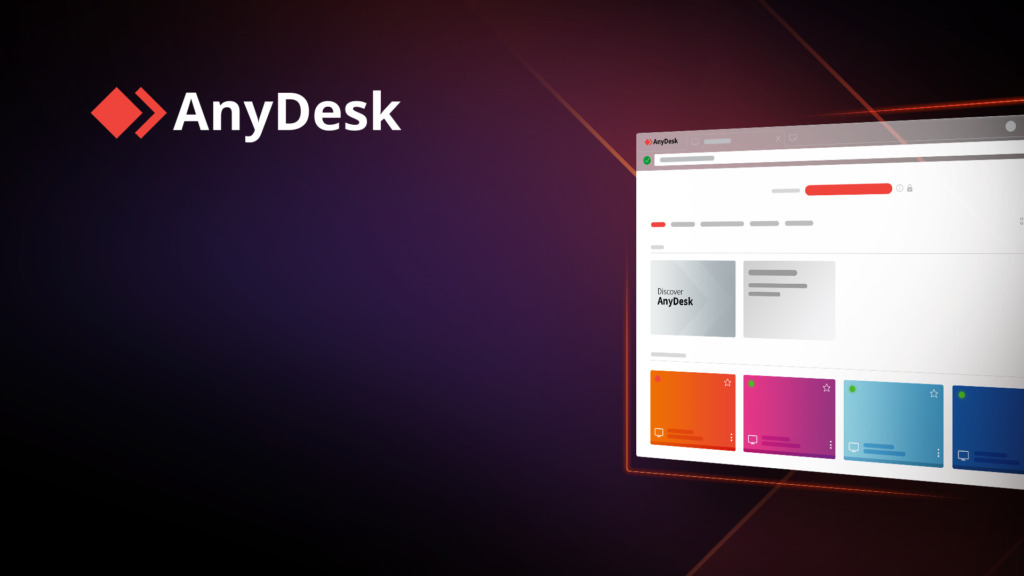
AnyDesk is a remote desktop software platform that allows IT teams, support staff, and engineers to securely connect to and control computers, servers, and devices from anywhere. Unlike consumer-grade screen-sharing tools, AnyDesk is engineered for enterprise use combining low-latency performance with encryption, access governance, and centralized administration suited to regulated industries like banking, healthcare, and government.
What Makes AnyDesk Different?
AnyDesk isn’t just another screen-sharing tool. It’s built specifically for enterprise environments where speed, reliability, and security all have to work together:
- Low-latency performance: AnyDesk’s proprietary DeskRT codec delivers smooth, near real-time remote sessions even on limited bandwidth, which matters for teams supporting branch offices or field locations with inconsistent connectivity.
- Strong encryption: Sessions are protected with TLS 1.2 and RSA 2048 asymmetric key exchange, ensuring data in transit stays private.
- Lightweight footprint: The client installs quickly and doesn’t strain endpoint resources, making it practical to roll out across large device fleets.
- Granular access controls: Administrators can enforce permission-based access, session recording, two-factor authentication, and access control lists (ACLs) to ensure only authorized users can connect to sensitive systems.
- On-premises or cloud deployment: Organizations with strict data residency or compliance requirements (banking, healthcare, government) can run AnyDesk on their own infrastructure rather than relying solely on the vendor’s cloud.
AnyDesk vs. Traditional Remote Access Tools
Many organizations in the region are still relying on legacy remote access tools or generic screen-sharing software that wasn’t designed with enterprise security in mind. Here’s how AnyDesk compares on the factors that matter most to security-conscious buyers:
| Factor | AnyDesk | Typical Legacy/Consumer Tools |
|---|---|---|
| Encryption | TLS 1.2 + RSA 2048 end-to-end | Often weaker or optional encryption |
| Access governance | Granular ACLs, permission profiles, session recording | Limited or all-or-nothing access |
| Deployment flexibility | On-premises, cloud, or hybrid | Usually cloud-only |
| Performance | Proprietary low-latency codec (DeskRT) | Often laggy on limited bandwidth |
| Compliance readiness | Supports audit logging for PDPL, GDPR, ISO 27001 | Rarely built for compliance reporting |
| Licensing | Enterprise volume licensing via authorized distributors | Frequently unmanaged or shadow IT installs |
This is why regulated sectors banking, healthcare, government are increasingly standardizing on AnyDesk rather than a patchwork of unmanaged remote access tools.
Where It Fits in a Real Security Strategy?
Remote access tools shouldn’t be deployed in isolation. At AdvanzaTech, we position AnyDesk as part of a broader Zero Trust approach to network and access control:
- Identity first: Pair AnyDesk with MFA (we recommend SecurEnvoy) so a stolen password alone can never grant remote access.
- Least privilege: Use AnyDesk’s permission profiles so support staff only get the level of access a specific task requires — not full administrative control by default.
- Visibility: Enable session logging and recording so every remote connection is auditable, which also supports compliance frameworks like PDPL, GDPR, and ISO 27001.
- Endpoint protection alongside it: Remote access tools are only as safe as the endpoints they connect to. Combining AnyDesk with EDR (like ThreatDown) closes the gap attackers look for.

Common Use Cases We See Across the Region
- IT helpdesks supporting distributed or hybrid workforces across the UAE and Saudi Arabia
- Managed Service Providers (MSPs) managing multiple client environments from a single console
- Healthcare providers needing HIPAA-aligned remote support for clinical systems
- Manufacturing and OT environments where engineers need secure remote access to industrial systems without exposing them directly to the internet
- Banking and financial institutions requiring auditable, access-controlled remote sessions for compliance purposes
Why Deploy Through a Certified Distributor?
AnyDesk is powerful, but like any privileged access tool, misconfiguration is where the risk creeps in. As an authorized AnyDesk distributor, AdvanzaTech provides:
- Licensed, genuine AnyDesk deployments — not gray-market licenses
- Implementation support tailored to your environment (on-prem, cloud, or hybrid)
- Configuration aligned with security best practices (MFA, session controls, ACLs)
- Ongoing technical support backed by certified engineers
- Integration guidance so AnyDesk works alongside your existing security stack (SIEM, EDR, IAM)
Frequently Asked Questions
Is AnyDesk secure for enterprise use?
Yes. AnyDesk uses TLS 1.2 encryption with RSA 2048 key exchange, plus configurable access controls, two-factor authentication, and session recording making it suitable for regulated industries when deployed and configured correctly.
Can AnyDesk be deployed on-premises for compliance reasons?
Yes. Organizations with strict data residency requirements common in UAE, KSA and the Middle East banking and government sectors can run AnyDesk On-Premises rather than through the vendor’s public cloud.
How is AnyDesk licensed in the UAE, Saudi Arabia and Middle East?
AnyDesk is available through authorized distributors like AdvanzaTech, ensuring genuine licensing, proper configuration, and regional support rather than unmanaged or gray-market installs.
What’s the difference between AnyDesk and TeamViewer?
Both are remote access platforms, but AnyDesk is generally favored by enterprises for its lower latency (via the DeskRT codec), lighter system footprint, and flexible on-premises deployment options for compliance-sensitive environments.
Does AnyDesk support compliance frameworks like PDPL and GDPR?
AnyDesk’s session logging, recording, and access control features support the audit trails required under PDPL, GDPR, and ISO 27001 though compliance ultimately depends on how the deployment is configured.
Get Started
If your organization is evaluating remote access solutions or auditing an existing deployment for security gaps AdvanzaTech’s team can walk you through a free security assessment and recommend the right AnyDesk configuration for your environment.
Contact us: 📞 +971 54 389 2190 📧 sales@advanzatech.com 🌐 advanzatech.com/anydesk